Why Pinterest and Shopify Make a Powerful Duo
If you run an online store with Shopify and you’re not using Pinterest yet, you’re missing out on a massive opportunity to reach new customers. Pinterest isn’t just a place for inspiration—it’s a visual search engine where users actively look for products and ideas to buy. That means it’s a great match for your Shopify store. The good news? In 2025, connecting Shopify to Pinterest is easier than ever, and it can help you boost traffic, sales, and brand visibility without a huge learning curve.
Step-by-Step: Connecting Shopify to Pinterest
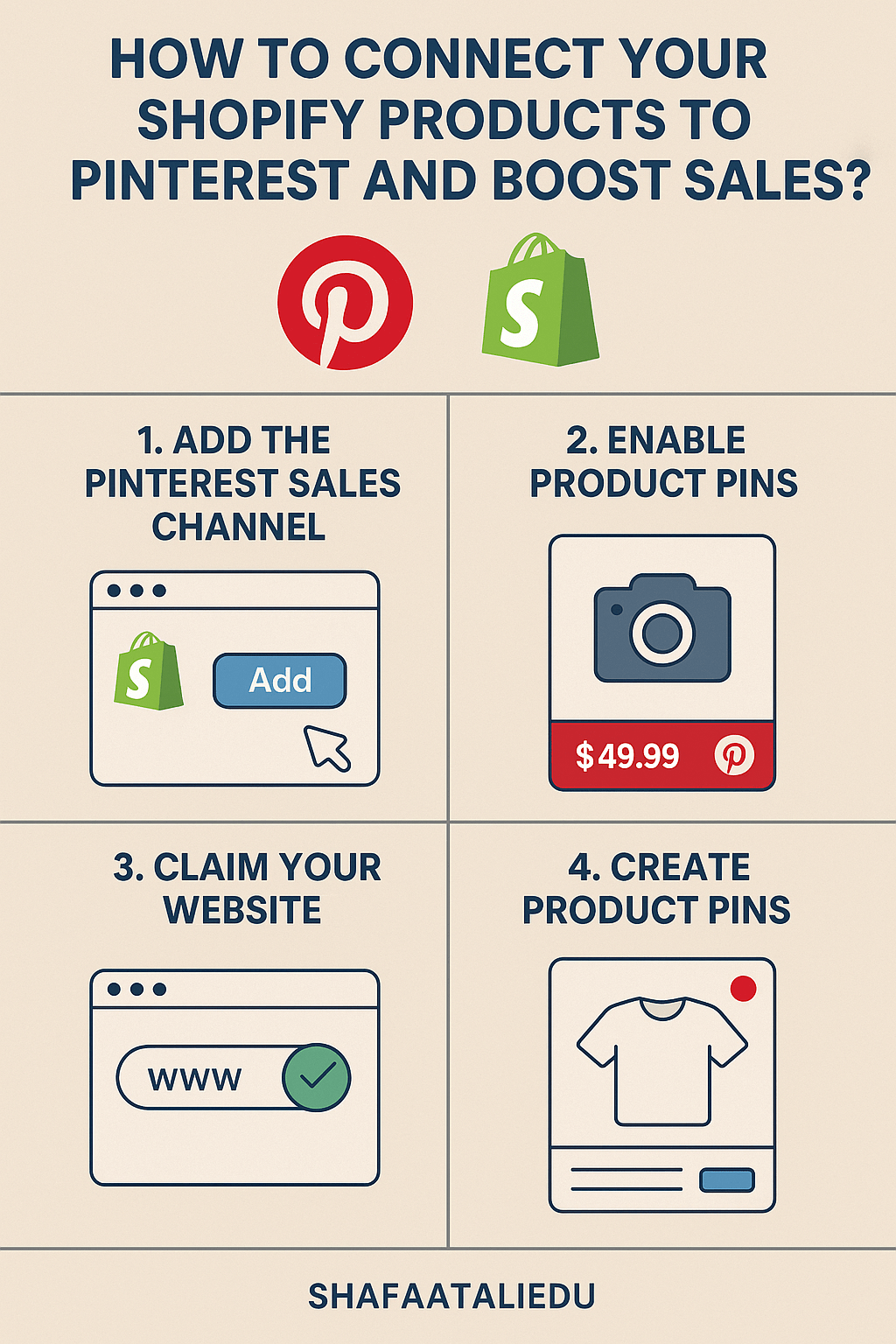
Let’s walk through how to do it using the official Pinterest for Shopify app. First, go to your Shopify admin dashboard. Head over to the “Apps” section and search for “Pinterest” in the Shopify App Store. Click “Add app” and follow the instructions to install it. Next, you’ll be asked to connect your Pinterest business account. If you don’t have one, you can create it for free during the setup process. Once connected, the app will automatically upload your product catalog to Pinterest. This means all your product info like name, price, image, and availability gets turned into Product Pins—Pinterest posts that link directly to your store.
What Happens After Syncing
Now your Shopify products are live on Pinterest! These Product Pins update automatically every 24–48 hours, so if you change a price or update an image in Shopify, the change appears on Pinterest too. Plus, Pinterest installs a tracking pixel (called the Pinterest Tag) and Conversion API on your store, which helps you track user actions like clicks and purchases. You can view these insights inside your Pinterest Ads Manager or directly through Shopify. Some users even get $100 in free ad credit when they connect their accounts.
Real Example: How It Works
Imagine you sell handmade candles on Shopify. After connecting to Pinterest, each of your candles is turned into a rich Product Pin. A Pinterest user searching for “cozy winter candles” sees your pin, clicks it, and ends up on your product page. If they like it, they can buy it right there. Even if they don’t buy immediately, Pinterest can later show them the same product or similar ones using retargeting ads. It’s like having a storefront in the middle of a shopping mall where people are already browsing for ideas.
Extra Tips to Get Better Results
Now that your products are connected, here’s how to get the most out of it. First, use high-quality vertical images in a 2:3 aspect ratio. Pinterest is all about visuals, so clear, eye-catching photos make a big difference. Second, write detailed and keyword-rich product titles and descriptions. For example, instead of saying “Blue Dress,” say “Elegant Blue Maxi Dress with Sleeves for Formal Events.” This helps Pinterest show your pins to the right audience. Third, create Idea Pins or lifestyle pins showing your products in use—like a short tutorial on styling your candles with home decor. And finally, take advantage of Pinterest Analytics to see which products get the most clicks, repins, or sales.
Should You Run Pinterest Ads Too?
Absolutely, especially if you have a small marketing budget. You can promote your best-performing pins to reach even more people. Pinterest ads allow you to target users based on interests, search behavior, age, gender, and more. Many Shopify sellers start by promoting their top-selling or seasonal products. The Pinterest for Shopify app makes it easy to launch and manage these campaigns without needing to leave your Shopify dashboard.
Ready to Turn Pins into Profits?
Connecting Shopify to Pinterest in 2025 is one of the smartest ways to grow your brand using organic traffic and visual discovery. It’s simple to set up, keeps your product info updated automatically, and opens the door to a massive audience of shoppers who are already in buying mode. Whether you sell fashion, home decor, digital products, or anything in between, Pinterest can help drive quality traffic and boost your sales without a huge upfront cost.

Leave a comment