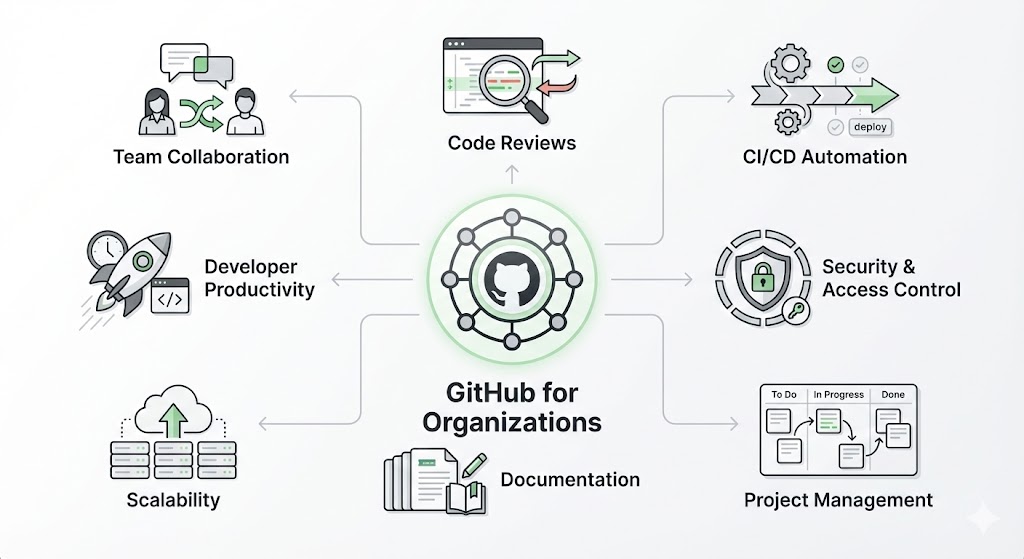
GitHub is more than a place to store code — for organizations it’s a collaboration hub, security center, and product delivery platform all in one. Below I explain the main benefits of using GitHub as an organization in simple, practical terms, with examples and clear subheadings so you can see how it helps teams of every size.
1. Centralized source control and easy collaboration
- GitHub stores all project code in repositories (repos).
- Team members can work in parallel using branches, then merge changes with pull requests.
- Pull requests provide a single, visible place for reviewing code, discussing changes, and tracking approvals.
Example: Two developers can work on different features in separate branches. When ready, one opens a pull request; teammates review, leave comments, and the change is merged only after approval.
2. Built-in code review and quality controls
- Pull requests support line-by-line comments and change requests.
- Branch protection rules prevent merging until checks pass (tests, reviews).
- Review histories become an audit trail — who changed what, and why.
This reduces bugs and ensures everyone follows agreed standards.
3. Continuous Integration / Continuous Deployment (CI/CD)
- GitHub Actions lets organizations automate testing, builds, and deployment directly from the repo.
- Workflows run on events (push, pull request, schedule), so tests run automatically.
- You can deploy code to staging or production after tests pass, reducing manual steps.
Example: A CI workflow runs unit tests and builds a Docker image whenever code is pushed. If all checks succeed, a CD step deploys to a staging environment.
4. Strong security and access controls
- Organizations can manage teams and give repo-level permissions (read, write, admin).
- GitHub provides secret management, dependency scanning (to find vulnerable libraries), and security advisories.
- Audit logs and SSO (single sign-on) integrations help enforce enterprise policies.
This helps protect sensitive code and ensures compliance.
5. Clear project management and visibility
- GitHub Issues and Projects (Kanban boards) track bugs, features, and tasks in the same place as code.
- Labels, milestones, and assignees bring order and make progress transparent.
- Linking issues to pull requests connects planning to execution.
Team leads get a real-time view of workload and blockers without juggling multiple tools.
6. Reusable components and templates
- Organizations can create starter repositories and templates for consistent project structure.
- GitHub Packages and GitHub Container Registry store reusable packages and images internally.
- Reusable workflows speed up onboarding and keep best practices consistent.
Example: New microservices can be created from a template repo that includes CI setup, coding standards, and documentation.
7. Documentation and knowledge sharing
- Repos can contain README files, wikis, and GitHub Pages for online docs and sites.
- Documentation lives next to the code, making it easy to keep docs up to date.
- Code examples, onboarding guides, and architecture notes help new hires ramp faster.
8. Community, integrations, and marketplace
- GitHub integrates with many tools (Slack, Jira, Azure, AWS, CI tools).
- The GitHub Marketplace offers apps to enhance workflows (code coverage, linters, bots).
- Open-source and internal communities foster collaboration and reuse.
9. Cost-effectiveness and scalability
- Plans scale from small teams to large enterprises.
- Automating tests and deployments saves time and reduces human error.
- Reusing templates and packages reduces duplicate effort.
10. Measurable outcomes and continuous improvement
- Metrics (pull request lead time, deployment frequency, CI success rates) help teams improve.
- Retro feedback loops enabled by issues and PR comments lead to better processes over time.
Using GitHub as an organization turns code storage into a productive, secure, and visible workflow that helps teams ship better software faster. From code reviews and CI/CD to security and documentation, GitHub centralizes what teams need, reduces friction, and supports continuous improvement.

Leave a comment