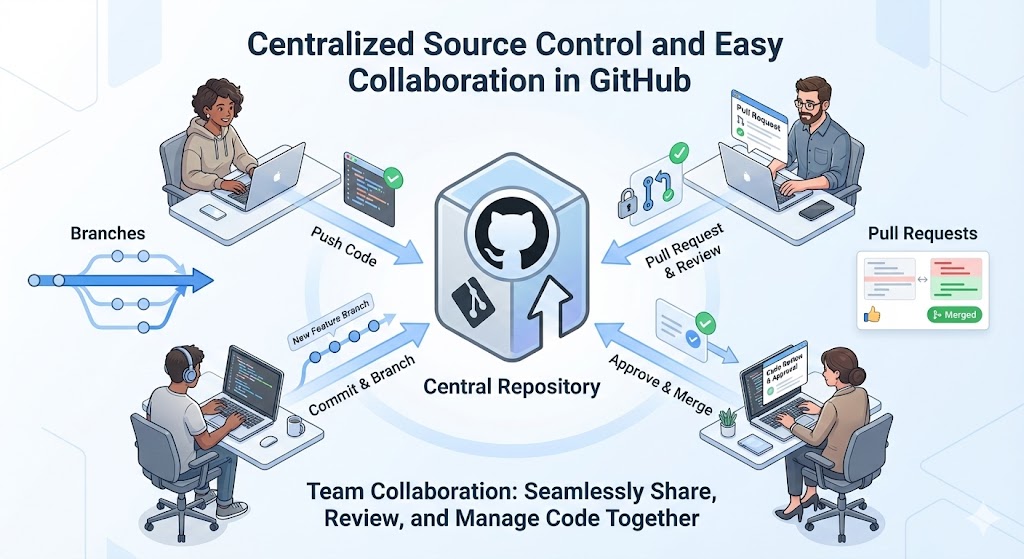
Managing code can quickly become messy when multiple people work on the same project. Files get overwritten, changes are lost, and tracking progress becomes difficult. This is where centralized source control and easy collaboration in GitHub make a big difference.
In this article, we’ll break everything down in simple terms and also include step-by-step how-tos so beginners can follow along easily.
What Is Centralized Source Control?
Centralized source control means keeping one main copy of your code in a central place. Everyone working on the project connects to this central source to:
- Download the latest code
- Make changes
- Upload their updates
In GitHub, this central place is called a repository (often called a repo).
Why Centralized Source Control Matters
Here’s why it’s important:
- Everyone works from the same codebase
- Changes are tracked automatically
- You can see who changed what and when
- Mistakes can be undone easily
Instead of sharing files on email or USB drives, everything stays organized in one place.
How GitHub Acts as a Central Hub
GitHub hosts your repository online. This means:
- The code is always available
- Team members can work from anywhere
- Your project history is saved safely
Each time someone updates the code, GitHub stores that change as a commit. Over time, this creates a clear timeline of the project.
How to Create a Central Repository in GitHub
Let’s look at a simple how-to.
How To: Create a Repository
- Log in to your GitHub account
- Click the New Repository button
- Enter a repository name
- Choose Public or Private
- Click Create Repository
That’s it. You now have a centralized source where your code will live.
Easy Collaboration with GitHub
GitHub makes teamwork simple by allowing multiple people to work together without overwriting each other’s work.
Key Collaboration Features
- Branches – Work on new features separately
- Pull Requests – Request to merge changes
- Issues – Track bugs and tasks
- Comments – Discuss changes directly on code
These tools help teams communicate clearly and avoid confusion.
How To: Work Together Using Branches
Branches let you work safely without touching the main code.
Steps to Use Branches
- Create a new branch for your feature
- Make changes in that branch
- Commit your changes
- Push the branch to GitHub
This way, your work stays separate until it’s ready.
How To: Use Pull Requests for Collaboration
A pull request is how you ask others to review your changes.
Steps to Create a Pull Request
- Push your branch to GitHub
- Click New Pull Request
- Compare your branch with the main branch
- Add a description of your changes
- Submit the pull request
Team members can now:
- Review your code
- Leave comments
- Suggest improvements
Once approved, your changes are merged into the main code.
How GitHub Prevents Conflicts
GitHub helps detect conflicts when two people change the same file. If a conflict happens:
- GitHub highlights the issue
- You can manually choose the correct code
- Nothing gets lost accidentally
This makes collaboration safer and more controlled.
Benefits of Using GitHub for Teams
Using GitHub gives teams many advantages:
- Clear version history
- Faster teamwork
- Better communication
- Easy rollback to older versions
- Centralized and secure code storage
Even solo developers benefit from this structured workflow.
Conclusion
Centralized source control and easy collaboration are the backbone of modern software development. GitHub brings both together in a simple and beginner-friendly way. By using repositories, branches, and pull requests, teams can work smoothly, avoid mistakes, and build better software together.
If you’re starting with GitHub, take it step by step. Once you understand the basics, collaboration becomes natural and stress-free.

Leave a comment