If you’re learning Python and keep hearing the word class, don’t worry—you’re not alone. Classes can feel confusing at first, but once they click, they become one of the most powerful tools in Python.
In this guide, I’ll explain Python classes in simple terms, step by step, with clear examples and zero unnecessary jargon.
What Is a Class in Python?
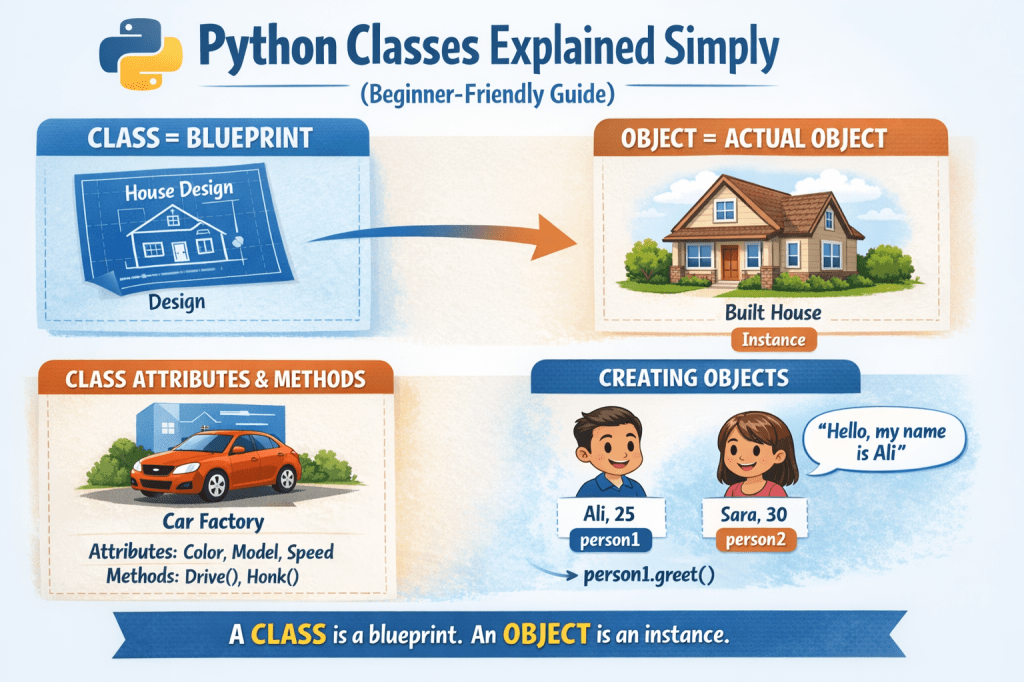
A class is like a blueprint or template for creating objects.
Think of it this way:
- A class is the design of a house
- An object is the actual house built from that design
The blueprint defines:
- What the object has (data)
- What the object can do (actions)
In Python, classes are used to group data and behavior together.
Why Do We Need Classes?
Classes help you:
- Organize code better
- Avoid repeating the same code
- Model real-world things easily
- Build large programs cleanly
Without classes, your code can become messy and hard to manage as it grows.
A Simple Example Without Classes
Imagine storing information about a person:
name = "Ali"age = 25city = "Lahore"Now imagine doing this for 100 people. That’s messy.
Classes solve this problem.
Creating Your First Python Class
Here’s a basic class example:
class Person: passclassis a keywordPersonis the class name (by convention, capitalized)passmeans “do nothing for now”
This is an empty blueprint.
Adding Data to a Class (Attributes)
To store data inside a class, we use a special method called __init__.
class Person: def __init__(self, name, age): self.name = name self.age = ageWhat’s happening here?
__init__runs automatically when a new object is createdselfrefers to the current objectself.nameandself.ageare attributes
Creating Objects From a Class
Now let’s create actual objects (instances):
person1 = Person("Ali", 25)person2 = Person("Sara", 30)Each object:
- Uses the same blueprint
- Has its own data
Access attributes like this:
print(person1.name)print(person2.age)Adding Functions to a Class (Methods)
Functions inside a class are called methods.
class Person: def __init__(self, name, age): self.name = name self.age = age def greet(self): print("Hello, my name is", self.name)Now you can do:
person1.greet()Output:
Hello, my name is AliUnderstanding self (Very Important)
self represents the current object.
When you write:
person1.greet()Python automatically converts it to:
Person.greet(person1)So self allows the method to access the object’s data.
Real-World Analogy
Think of a class as a car factory design:
- Attributes: color, model, speed
- Methods: drive(), brake(), honk()
Each car built from the design is an object with its own color and speed.
Modifying Object Data
You can change object data anytime:
person1.age = 26print(person1.age)Objects are flexible and dynamic.
Why Classes Are So Powerful
Classes help you:
- Write cleaner code
- Reuse logic easily
- Build real-world applications
- Understand frameworks like Django and Flask
- Transition to advanced programming concepts
Almost every serious Python project relies heavily on classes.
Common Beginner Mistakes
Avoid these early mistakes:
- Forgetting
self - Using lowercase class names
- Confusing classes with objects
- Trying to understand everything at once
Learning classes takes practice—be patient.
Key Takeaways
- A class is a blueprint
- An object is created from a class
__init__initializes object dataselfrefers to the current object- Methods define what objects can do
Once you understand classes, Python becomes much more logical and enjoyable.
If you enjoy learning practical concepts like this and want to improve skills around business, money, communication, and personal growth, you may find my books helpful on Apple Books—written in the same simple, real-world style.

Leave a comment