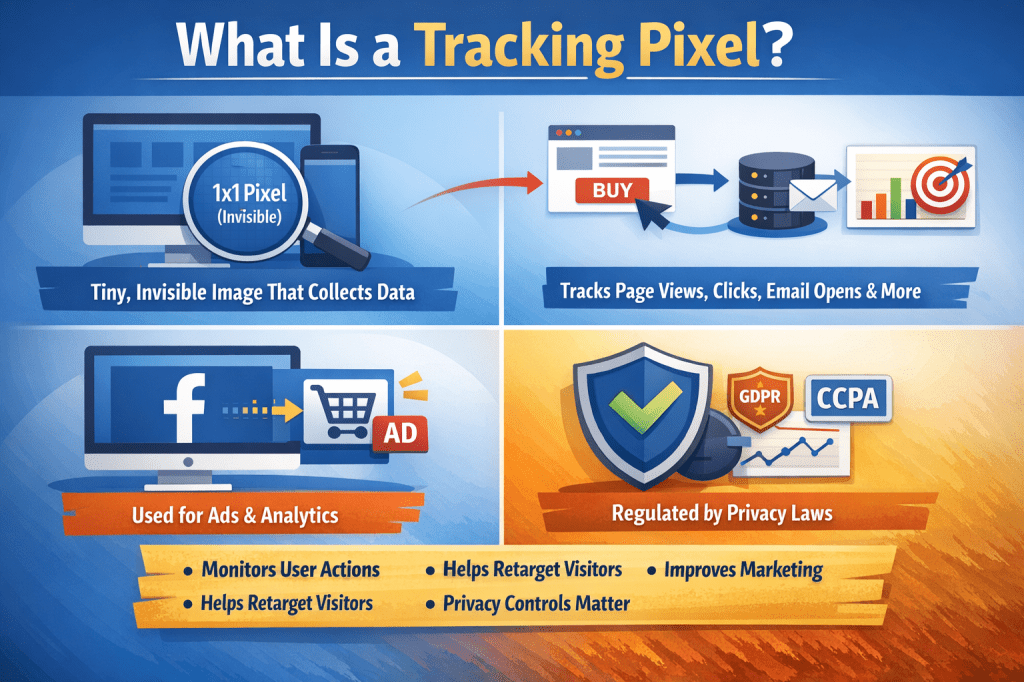
If you’ve ever visited a website and later seen ads for the exact same product on social media or other sites, a tracking pixel was probably involved.
Don’t worry—it sounds technical, but the idea is actually very simple. In this guide, I’ll explain what a tracking pixel is, how it works, why businesses use it, and what it means for you as a user, all in plain language.
What Is a Tracking Pixel?
A tracking pixel is a tiny, invisible image (usually 1×1 pixel) embedded in a website, email, or ad. Its job is to collect data about user behavior.
You can’t see it, but when a page loads or an email opens, the pixel quietly sends information back to a server.
Think of it like a digital check-in system that says:
“Someone was here, at this time, and did this action.”
How Does a Tracking Pixel Work?
Here’s the process broken down into simple steps:
- A tracking pixel is added to a webpage, email, or ad
- When you open that page or email, the pixel loads automatically
- The pixel sends data back to its owner (usually a marketing or analytics platform)
- That data is stored and analyzed
What Information Can It Track?
A tracking pixel can collect data such as:
- Page views
- Email opens
- Button clicks
- Device type (mobile or desktop)
- Browser type
- IP address (often used to estimate location)
It does not usually collect your name or personal identity directly, but it can be linked to profiles through cookies or accounts.
Common Types of Tracking Pixels
Not all tracking pixels are used for the same purpose. Here are the most common ones.
1. Website Tracking Pixels
These help website owners understand how visitors behave.
For example:
- Which pages are visited most
- How long users stay
- Where users drop off
Tools like Google Analytics often use pixels for this purpose.
2. Advertising Pixels
Advertising platforms use pixels to track conversions and show relevant ads.
A popular example is the Facebook Pixel, which helps businesses:
- Track purchases
- Measure ad performance
- Retarget visitors with ads
3. Email Tracking Pixels
Ever wondered how marketers know you opened an email?
They use tracking pixels.
When you open an email:
- The pixel loads
- The sender gets a signal
- The email is marked as “opened”
This is commonly used in newsletters, sales emails, and customer follow-ups.
Why Businesses Use Tracking Pixels
From a business perspective, tracking pixels are extremely valuable.
Key Benefits for Businesses
- Measure performance – Know what works and what doesn’t
- Improve user experience – Understand visitor behavior
- Retarget interested users – Show ads to people who already visited
- Save money – Spend ad budget more efficiently
Imagine running ads without knowing whether anyone actually bought something. Pixels solve that problem.
Are Tracking Pixels the Same as Cookies?
They’re related, but not the same.
| Tracking Pixel | Cookies |
|---|---|
| Invisible image | Small text file |
| Sends data when loaded | Stored in your browser |
| Often used for analytics & ads | Used to remember preferences |
| Can work without cookies | Usually requires browser storage |
Many tracking systems use both together for better accuracy.
Are Tracking Pixels Legal?
Yes—but with rules.
Because of privacy concerns, many countries now regulate how tracking pixels are used.
Common Privacy Laws
- GDPR (Europe)
- CCPA (California)
That’s why you often see:
- Cookie consent banners
- Privacy policy notices
- Options to opt out
Websites are required to inform users and, in many cases, get consent before tracking.
Should You Be Worried as a User?
Tracking pixels are not inherently dangerous, but awareness is important.
What They Don’t Do
- They don’t see you through your camera
- They don’t read your private messages
- They don’t magically know your identity
What You Can Do
- Use privacy-focused browsers
- Disable email image loading
- Review cookie settings
- Use ad blockers if desired
The goal isn’t panic—it’s informed control.
Key Takeaways
- A tracking pixel is a tiny, invisible image used to collect data
- It tracks actions like page visits, clicks, and email opens
- Businesses use it for analytics, advertising, and optimization
- Pixels are widely used but regulated by privacy laws
- Users can manage or limit tracking through browser settings
Once you understand tracking pixels, online marketing suddenly makes a lot more sense.
If you’re interested in learning how tools like tracking pixels fit into online business, marketing, and personal growth, you may find value in exploring some of my books on Apple Books—especially if you want practical knowledge explained simply.

Leave a comment