If you’ve ever wondered what actually makes your computer “think,” you’re really asking about the CPU. The CPU, or Central Processing Unit, is often called the brain of the computer—and for good reason. It’s responsible for carrying out instructions, performing calculations, and making decisions based on data.
But what exactly is inside this “brain”? Let’s break it down into its core parts in a simple, practical way.
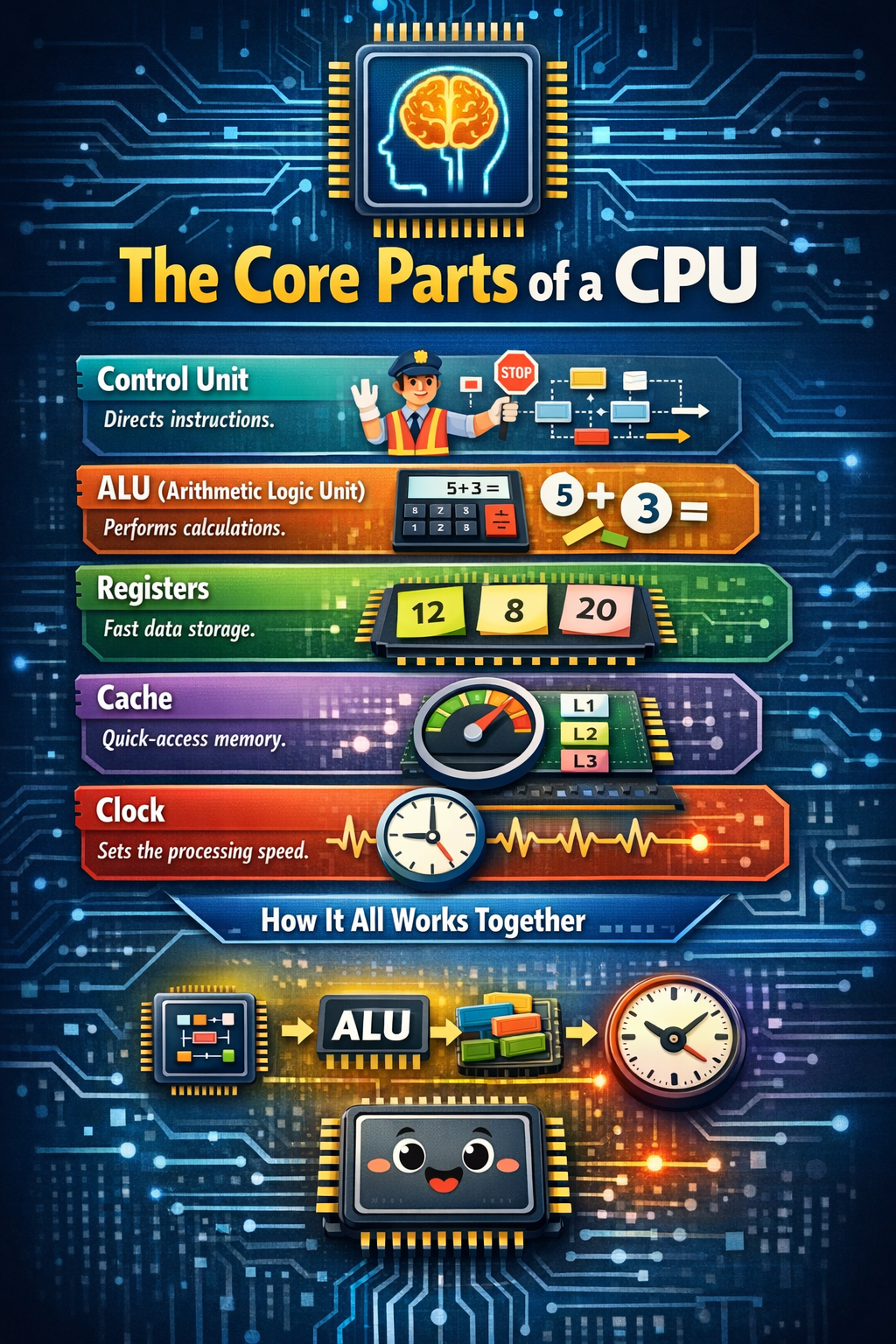
1. The Control Unit (CU): The Traffic Manager
Think of the Control Unit as a traffic officer at a busy intersection. It doesn’t do the heavy lifting itself, but it directs everything.
The Control Unit tells other parts of the CPU what to do. It fetches instructions from memory, decodes them (which just means figuring out what the instruction is asking), and then sends signals to the right components to carry them out.
For example, imagine you’re editing a photo and click “Increase Brightness.” That click triggers an instruction. The Control Unit reads that instruction and tells the right parts of the CPU: “Okay, we need to adjust pixel values—let’s get to work.”
Without the Control Unit, the CPU would be like an orchestra without a conductor—lots of talented parts, but no coordination.
2. The Arithmetic Logic Unit (ALU): The Calculator
The Arithmetic Logic Unit, or ALU, is where the actual calculations happen.
As the name suggests, it handles:
- Arithmetic operations (like addition, subtraction, multiplication)
- Logical operations (like comparing two values: Is A greater than B?)
Whenever you calculate your monthly expenses in a spreadsheet or your phone checks whether your password matches what’s stored, the ALU is doing the heavy lifting.
Let’s say you’re shopping online and the site calculates your total cost including tax and shipping. Those additions and comparisons are handled by the ALU. It’s the part of the CPU that actually “does the math.”
If the Control Unit is the manager, the ALU is the worker who gets things done.
3. Registers: The Super-Fast Sticky Notes
Registers are tiny, ultra-fast storage spaces located inside the CPU. They temporarily hold data and instructions that the CPU is actively using.
You can think of registers as sticky notes on your desk. Instead of walking to a filing cabinet every time you need a number, you jot it down and keep it right in front of you.
For example, if the CPU is adding two numbers, it may:
- Load the first number into one register
- Load the second number into another register
- Store the result in a third register
Because registers are inside the CPU and extremely fast, they help speed up processing dramatically.
4. Cache: The Quick-Access Memory
Although technically separate from registers, cache is another essential part closely tied to the CPU.
Cache is a small, high-speed memory that stores frequently used data so the CPU doesn’t have to keep reaching into the slower main memory (RAM). It’s like keeping your most-used apps pinned to your phone’s home screen instead of searching for them every time.
For instance, if you’re playing a video game, certain instructions and data are used repeatedly. Keeping them in cache saves time and makes the game run more smoothly.
There are usually multiple levels of cache (L1, L2, and sometimes L3), with L1 being the fastest and smallest.
5. The Clock: The Metronome
The CPU also includes a clock, which controls the timing of operations. It sends out regular electrical pulses that synchronize all CPU activities.
Imagine a drummer keeping a steady beat in a band. Every action happens in rhythm. The CPU clock works the same way, ensuring that each instruction is processed step by step, in order.
The clock speed, measured in gigahertz (GHz), tells you how many cycles per second the CPU can perform. Higher speeds generally mean faster processing—but efficiency and design matter too.
How It All Works Together
Here’s the big picture:
- The Control Unit fetches and decodes an instruction.
- The required data is loaded into registers.
- The ALU performs calculations or comparisons.
- The result is stored back in a register, cache, or memory.
- The clock keeps everything synchronized.
It’s a continuous cycle happening billions of times per second.
So the next time your laptop boots up in seconds or your phone unlocks instantly with facial recognition, remember—it’s this tiny, intricate system working in perfect coordination.
Understanding these core parts—the Control Unit, ALU, registers, cache, and clock—gives you a clearer mental model of how computers really operate. And once you see the CPU as a well-organized team rather than a mysterious black box, technology starts to feel a lot less intimidating.

Leave a comment